Choosing the wrong ground power unit (GPU) can have a significant impact on operations. Besides a loss on investment, an incorrect unit costs time, exposes ground crews to unnecessary risk, and often means living with a unit that can’t actually support the fleet mix rolling through your facility. With aircraft maintenance schedules tighter than ever, the margin for a mismatched GPU has shrunk considerably.
This guide walks through the decision framework ground support equipment buyers actually need: matching power type to aircraft, choosing the right configuration for your facility, sizing output correctly, and vetting the manufacturer behind the unit.
7 Factors to Consider When Comparing Ground Power Units
When evaluating ground power units, maintenance facilities must consider key factors such as aircraft requirements, facility constraints, service support, and lifecycle value. The following steps will help you determine the optimal ground power unit for your fleet.
Step 1: Match the Power Type to Your Aircraft Mix
Before comparing brands or unit configurations, the first question is electrical: what does your fleet actually need?
- 400 Hz AC power supports avionics, cabin systems, lighting, and preflight checks on the vast majority of commercial, business jet, and military aircraft. If your facility services aircraft that require external AC power for maintenance or turnaround, 400 Hz ground power is the baseline requirement.
- 28VDC covers aircraft and ground equipment that operate on standard low-voltage DC systems.
- 270VDC supports higher-voltage DC systems found on newer military and some commercial platforms.
The harder question is what happens when your ramp sees more than one of these in the same day. Facilities that service a mixed fleet often end up running two separate ground power units per position just to cover both power types. That's more equipment to maintain, more cable runs to manage, and more space taken up on an already tight ramp.
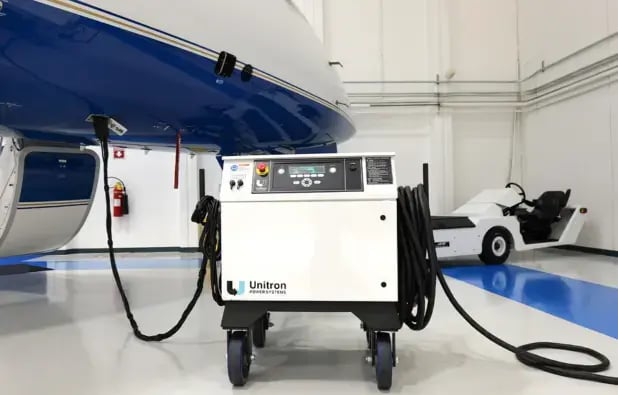
Combination units solve this directly. Unitron’s Combo 400HZ/28VDC and Combo 400HZ/270VDC units deliver simultaneous AC and DC output from a single cart or fixed installation: one unit, one footprint, covering both requirements at once.
Step 2: Choose the Right Configuration for Your Facility
Power type is only half the decision. The other half is how the unit needs to live and move in your facility. This is where some buyers may default to whatever configuration they’ve always used, rather than what actually best fits the layout in front of them.
A useful way to think about it:
- Fixed or bridge-mounted units make sense for dedicated maintenance bays or gate positions where the aircraft position doesn’t change.
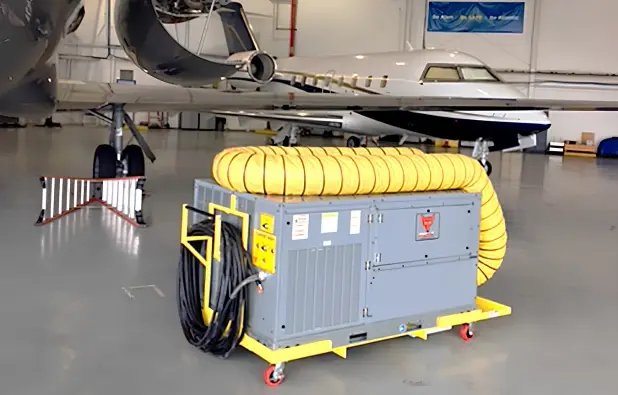
- Mobile or towable units are the right call when the same ground power unit needs to serve multiple aircraft positions across a ramp or hangar floor. Flexibility comes at the cost of storage space and a plan for cable management between moves.
- Hangar-specific constraints matter here too. Facilities operating under NEC 513 hazard area clearance requirements need to factor that into configuration choice early.
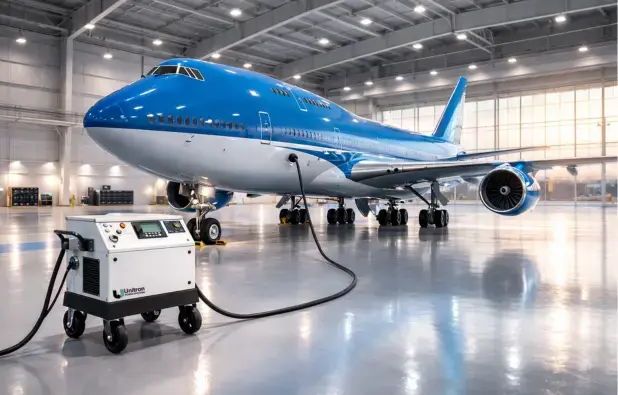
Unitron’s 400HZ frequency converter line is available across all four configurations: mobile, towable, fixed, and bridge-mounted, which makes it a reasonable reference point for weighing which setup actually matches your ramp or hangar layout.
Step 3: Right-Size the Output
Once power type and configuration needs are settled, sizing is next, and it's an easy step to get wrong. Oversized units mean paying for capacity you may not use and taking up more space than necessary. Undersized units create bottlenecks the moment two aircraft need ground power at once, or when a heavier aircraft type gets added to the fleet mix.
Unitron’s 400 Hz line spans 20 kVA to 180 kVA in standalone ratings, with higher output available in parallel configurations for facilities that need it. The right number for your facility depends on peak simultaneous demand. If your busiest ramp position regularly has two aircraft drawing power at once, size for that scenario.
Step 4: Account for Facility Constraints
Beyond power and sizing, a handful of facility-level details determine whether a ground power unit actually works well in practice, including:
- Incoming utility power. Confirm whether your facility runs 50 Hz or 60 Hz input, since the converter needs to handle whichever one feeds your building.
- Cable reach and handling. A unit with the right output can still be a problem if the cable can’t comfortably reach the aircraft’s ground power receptacle, or if crews are manually wrangling heavy cable runs every shift. Cable handling solutions and remote control accessories help address this problem.
- Space and hazard clearance. Confirm clearance requirements for your facility type before finalizing a configuration.
Step 5: Prioritize Uptime Features
Two ground power units with identical power output can deliver different levels of reliability, serviceability, and operational uptime over years of daily use. The features that separate a unit that’s easy to keep running from one that isn’t tend to show up in the fine print of the spec sheet. To optimize uptime, reliability, and maintainability, units need features like:
- Self-diagnostic capability (BITE) that catches issues before they cause a failure mid-shift.
- Front panel fault indicators so ground crews can identify a problem without waiting on a technician.
- An integrated display console for voltage, current, and frequency monitoring at a glance.
- Communication ports (Ethernet, Modbus, USB) for facilities that want fleet-wide monitoring rather than checking each unit individually.
- Input high-voltage transient protection to protect onboard electronic equipment against damage from utility power fluctuations.
Unitron’s 400 Hz converters include all of the above as standard features: self-diagnostics, an Advanced Integrated Display (AID) console, and RJ45/RS485/RS232 communication ports, which is a solid baseline to hold any competing unit to when comparing spec sheets.
Step 6: Evaluate the Manufacturer, Not Just the Unit
It’s easy to compare spec sheets and forget that a GPU is typically a 15- to 20-year investment. Over that timespan, the manufacturer matters as much as the unit itself. Before finalizing a purchase among ground power unit manufacturers, it’s worth asking:
- What’s the actual service response time? Not the marketing claim; the real, typical turnaround when a unit goes down.
- Is the company certified? ISO 9001:2015 certification is a reasonable signal of consistent manufacturing and quality control processes.
- How available are parts? A unit that’s cheap to buy but has a six-week wait for a replacement part can be costly in both time and money.
- Is support domestic or overseas? This affects both response time and the ease of getting a technician on-site when needed.
Unitron backs its equipment with 24/7 worldwide service availability and diagnostics and restoration within 24 hours of a call. That kind of support commitment is worth weighing as heavily as any spec on the datasheet.
Step 7: Think Lifecycle Value, Not Initial Sticker Price
The lowest purchase price and the lowest total cost of ownership are rarely the same number. A cheaper unit that goes down twice a year, takes weeks to get parts for, or needs replacing in eight years instead of eighteen ends up costing more than the “expensive” option ever would have.
Consider a simple scenario: two facilities each buy a 45 kVA mobile GPU. One unit is cheaper upfront, but experiences two unplanned outages a year, averaging two days of downtime each, with a five-day average parts lead time. The other costs more initially but is backed by 24-hour service response and same-week parts availability. Over a five-year window, the downtime and delay costs on the cheaper unit alone can outpace the original price difference, before even factoring in the frustration and operational cost impact of a grounded ramp position.
When evaluating ground power units, weigh the purchase price against expected service life, parts availability, and the cost of unplanned downtime on your operation per incident.
Quick-Reference Comparison for Ground Power Units
| Product | Best For | Configurations Available |
|---|---|---|
400HZ |
Single-frequency AC-only fleets |
Mobile, Towable, Fixed, Bridge-Mounted |
28VDC |
DC-only requirements such as helicopters |
Mobile, Towable, Fixed |
270VDC |
Higher-voltage DC fleets |
Mobile, Towable, Fixed |
Combo 400HZ/28VDC |
Mixed fleets needing AC + 28VDC |
Per facility configuration |
Combo 400HZ/270VDC |
Mixed fleets needing AC + 270VDC |
Per facility configuration |
Talk to a Unitron Application Engineer About Your Facility
Every fleet is different, and every facility has its own layout, power constraints, and growth plans. Rather than guessing at the right configuration from a spec sheet alone, request information from Unitron’s team to walk through what actually fits your maintenance operation, from power type and sizing to service support after the sale.
FAQs About Choosing an Aircraft Ground Power Unit
-
How do I know if I need a combo GPU instead of separate units?
If your facility regularly services aircraft or ground equipment requiring both AC and DC power at the same position, a combination unit like Unitron’s Combo units eliminates the need for two separate units taking up space and requiring separate maintenance.
-
What’s the typical lifespan of an aircraft ground power unit?
Well-maintained solid-state ground power units from established manufacturers can serve 15 to 20 years in regular flight-line or hangar use, though actual lifespans depend on duty cycle, environment, and how consistently the unit receives service and preventive maintenance.
-
Do I need a custom configuration, or does a standard model fit my facility?
Many facilities are well served by standard mobile, towable, fixed, or bridge-mounted configurations. Facilities with unusual space constraints, unique power requirements, or specialized aircraft types may benefit from consulting an engineering services team before finalizing a purchase.